Creating a Design System for UI Toolkit
Using Claude.ai to Generate Variables and a Full Design System from Game Prototype


Last week I opened up Mission Disarm to work on diegetic UI and other parts of the game that needed attention. I made so much progress that it became feasible to work on an expansion of the game. In the process, I discovered that UI Toolkit allows UI in World Space since version 6.2. While switching to UI Toolkit didn’t make sense for the existing landmine sweep scene, I could incorporate the upgraded UI into a new scene.
Below are the three steps I followed to create the new scene that serves as Mission Disarm’s War Trivia gameplay and then how that result was used to generate the Design System.
STEPS FOLLOWED
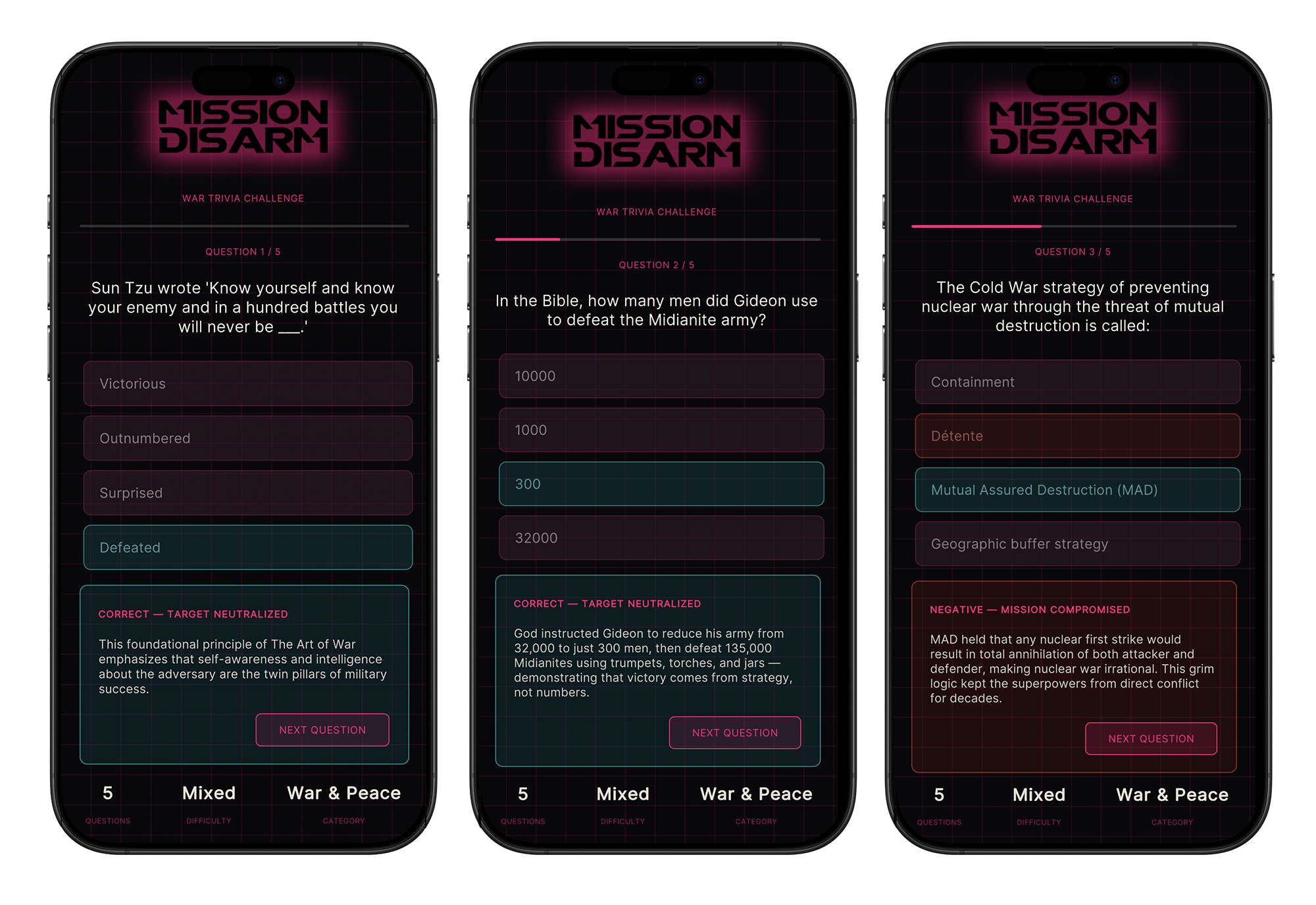
Generate concept prototypes in Lovable and Figma Make informed by the existing game’s aesthetic, colour palette, and display font.
Upload screen captures of the rapid prototypes to Claude.ai, then use them to build the scene in Unity using UI Toolkit.
Feed screen captures of the new UI built in Unity into Claude, to generate Mission Disarm’s Design System documentation and a single source of truth.
The real source of truth for a Unity UI Toolkit project is:
variables.uss — everything flows from this one file. Every other .uss in your project imports it and uses var(--color-pink) etc. When you change a value there, it propagates everywhere instantly.
MissionDisarmTheme.cs (ScriptableObject) — for anything driven by C# code like TriviaManager.cs, runtime color changes, or procedural UI.
Together, these two files form Mission Disarm's living design system inside Unity
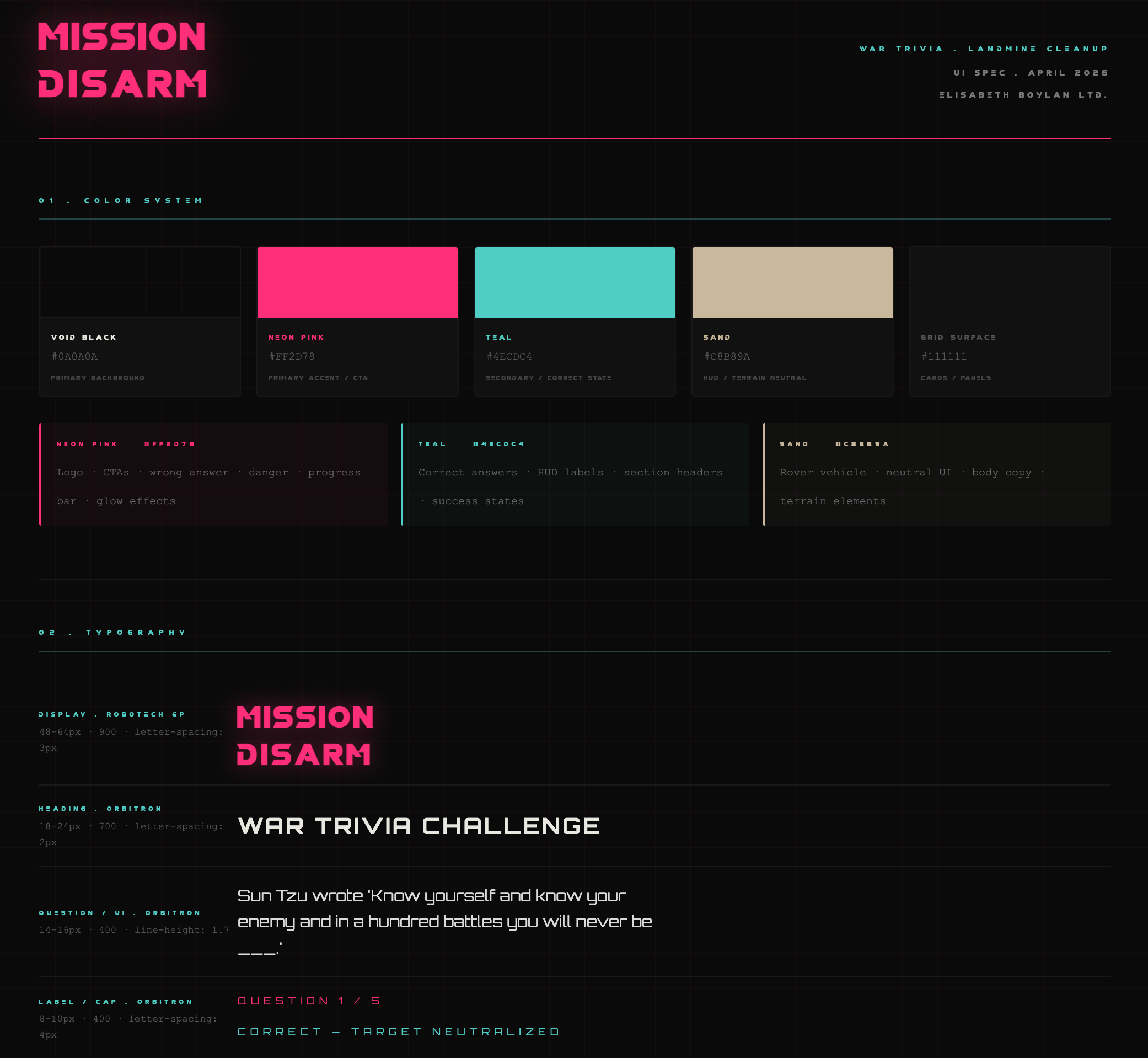
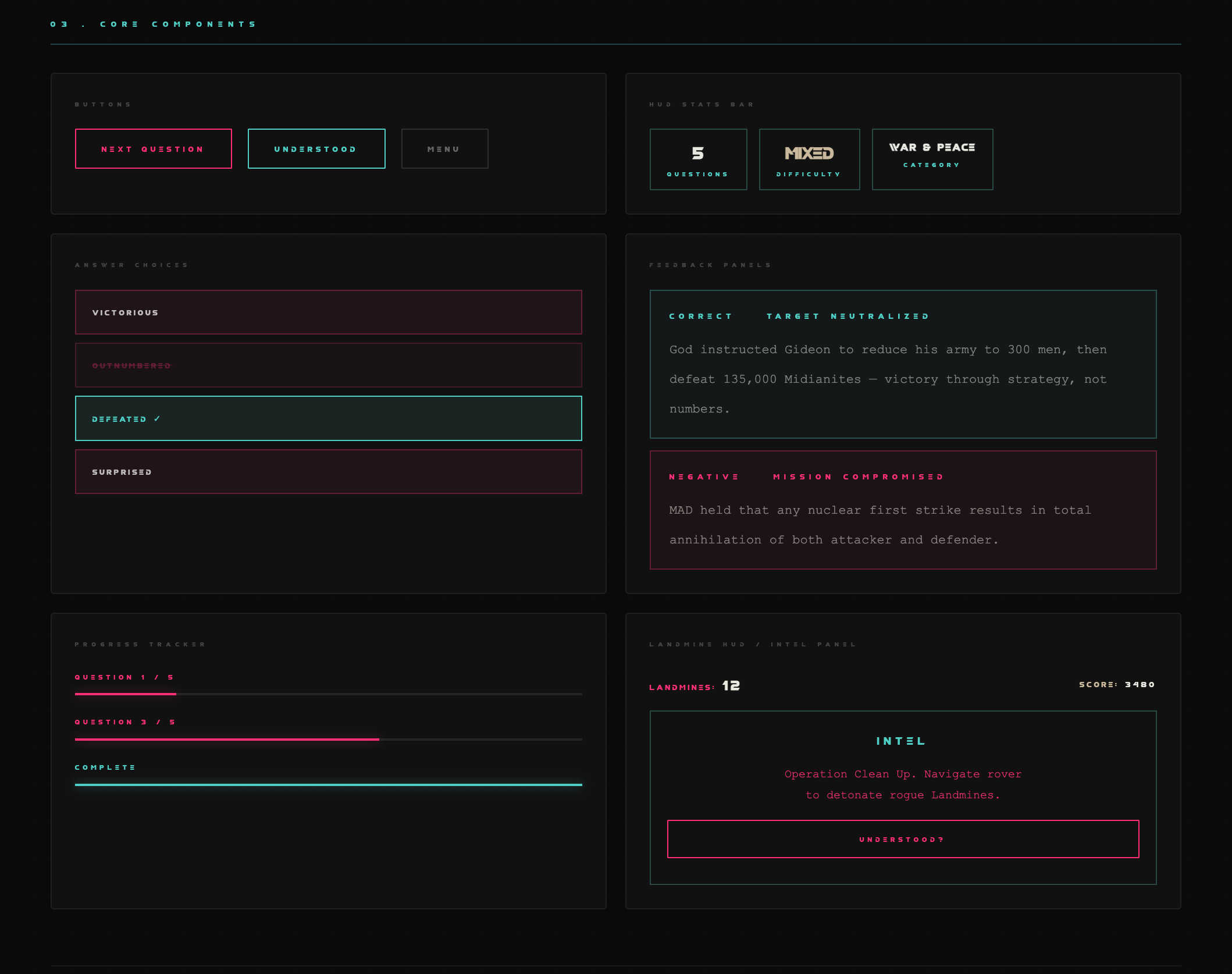
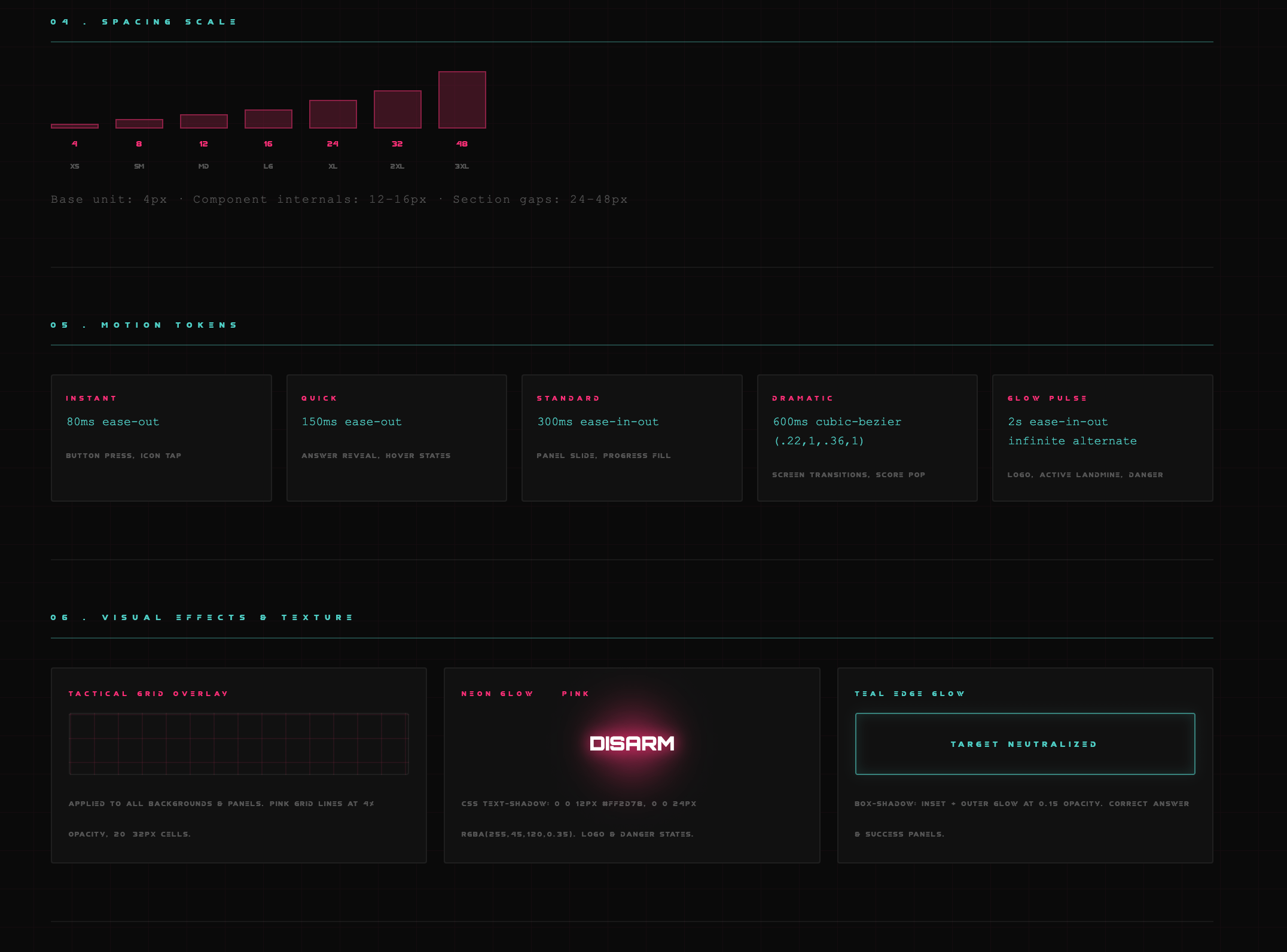
As a visual reference, I created an external HTML version of what’s in them — useful outside the project. Screenshots below of the UI Spec sheet, as generated by Claude.ai. I am hosting the index.html on Vercel rather than Figma, since a Figma file can't interface with Unity's game engine.
As of today Anthropic Labs announced Claude Design, available to Pro users. The ‘Design’ option is available in the side bar chat. All of the above design system was creating using Standard Claude.ai, and now I can import all this information into Claude Design to refine what I have created thus far as a Design System for UI Toolkit and Mission Disarm’s Trivia Game.
I will share the results in a follow-up post.